Description
General System Description
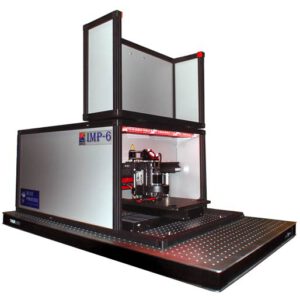
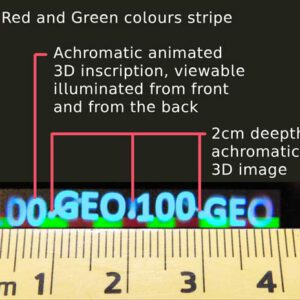
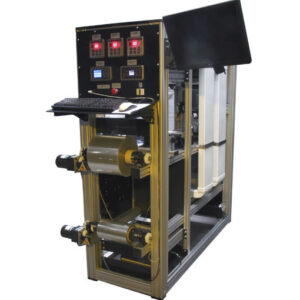
The EcHoLas is a holographic printer that produces true 3D holographic images by recording thousands of microscopic holographic elements, known as hogels, with extreme precision. Unlike conventional analog holography systems, which require physical objects and high-power lasers for single-shot optical exposure, the EcHoLas printer uses low-power lasers to generate holograms directly from digital 3D data. The hologram is recorded hogel by hogel, creating a fully immersive volumetric light field with realistic 3D depth, continuous parallax, and accurate spatial perception. It is printed directly onto a photopolymer recording material, requiring no chemical processing after exposure. The resulting hologram is durable, stable, and immediately viewable under appropriate illumination, faithfully reproducing the recorded light field with high resolution and natural depth cues.
The digital hologram is generated from multiple images of a 3D scene. Since the holographic information is derived from the pixels of these digital images, every digital hologram has an inherently pixelated structure. In the EcHoLas system, however, this pixelation is not visible to the observer due to the high recording resolution.
The hogel size is adjustable and can range from 100 × 100 μm to 500 × 500 μm, depending on the application and the desired image characteristics. Each hogel records the information corresponding to approximately 600–1,200 image pixels, combining data from multiple viewpoints of the 3D scene to reconstruct a full-parallax holographic image.
The Volume Hologram Origination System is supplied with the following software packages:
- EcHoLas Printer Control Software (GUI) – provides complete control of the hologram recording process and printer operation
- Full-Parallax Hologram Data Generation Software – generates holographic recording data from digital 3D content
- Single-Parallax Hologram Preview Software – previews holograms with horizontal parallax before recording
- Full-Parallax Hologram Preview Software – simulates the appearance of full-parallax holograms prior to printing
Typical specifications*
| DESCRIPTION | PARAMETER | NOTES |
|---|---|---|
| Laser wavelengths | 640 / 532 / 457 nm | Different laser wavelengths can be implemented on request. |
| Laser type** | CW | Pulsed green 532nm laser can also be implemented on request. |
| Maximum area printed | ~200 × 200 mm | Bigger printing area can be extended by implementing pulsed laser on request. |
| Hogel printing resolution (PC tunable) | ~100 – 500 µm | Printer is based on hogel recording, which size is simple tunable via GUI The <150 µm hogels are already invisible for naked eye. |
| Printing speed*** | ~1 – 3 Hz | Master hologram printing speed depends on light sensitive material characteristic. Using pulsed lasers recording speed can be either 30 Hz or 60 Hz |
| Holographic material type | Photopolymers | Silver Halide emulsion plates could also be applicable. |
| Field Of View (FOV) | ~20 – 100 degrees | The bigger the FOV the dimmer the hologram |
| Digital hologram type | Full color (RGB) Volume 3D reflection Single and Full Parallax | With possibility also record and individual monochrome or two-color or full-color holograms. Including gradient color creation. |
| Hologram recording-replay geometry (reference angle / lighting) | ~45° or 0° | Table Top 0° (360° view) or ~45° view |
| Digital hologram data imprinted | Static or Dynamic (animated) | File sequences made by 3D programs (Blender, 3D StudioMax, etc.) or Live world data capture. |
| Data preparation program | Blender | Other programs can be also applicable for Single Parallax data sequence preparation. The Full parallax – only Blender. |
| Electrical requirements of machine | 220 VAC 50/60 Hz, ~200 W | The power consumptions depend on laser power and it is subject to change. |
| Software provided along with device | – Printer Control – Data processing (preparation) – Data Preview | – Software which allows to control digital printer – The “Rendering Farmer” software, which allows to prepare data allowing multiple computers (“Cows”) use for network rendering. – Software which makes preview of desired data (Single & Full parallax) |
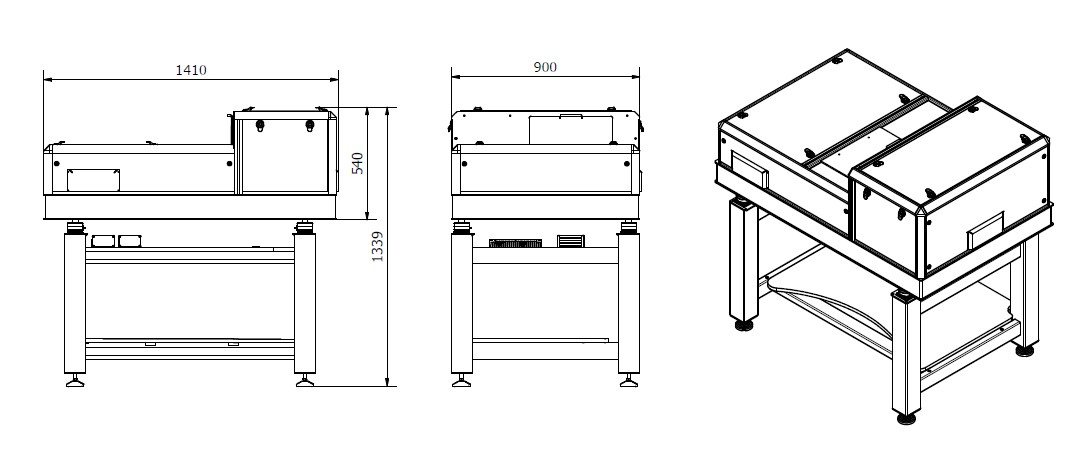
| Size of the machine (preliminary) | 900 × 1339 × 1410 mm | |
| Warranty | 12 / 3 months | General / Optics respectively |
* Parameters marked typical are not specifications. They are indications of typical performance and they will vary with each unit we manufacture.
** The pulsed laser can also be employed with RGB (660, 532 and 440nm) wavelength however it requires extra R&D phase for its implementation.
*** The speed depends on lasers type used CW or Pulsed.
System Dimensions
Hologram Data Preparation
Digital scene for the hologram can be created and rendered with computer aided design program such like Blender, 3D Studio Max, Maya, etc.
For the data rendering you will need:
- Download iLumogram rendering parameters calculator for Windows (zip ~971kB)
or
- Use our Online Render Calculator
- Download iLumogram files preparation manual for 3D Studio Max
or
- Download iLumogram files preparation manual for Blender
After creating your files, please send them to us using any of file transfer services – WeТransfer, SwissTransfer, etc.. After reviewing your files we will create iLumogram preview, so you will be able to see how your iLumogram will look like on your computer screen.
Digital Volume Hologram Production Workflow
1. Artwork Preparation and Review
Receive the artwork and review/investigate it in Blender to ensure that the design is suitable for hologram production.
2. Preview and Customer Approval
Create a digital preview of the hologram and send it to the end customer for review and approval.
3. Proforma Invoice and Advance Payment
Issue a Proforma Invoice for the required advance payment and receive the payment before proceeding with production.
4. Manufacturing
Start the hologram manufacturing process based on the approved artwork and production specifications.
5. Packing and Transportation
Pack the holograms according to the agreed requirements and arrange transportation/shipping to the customer.